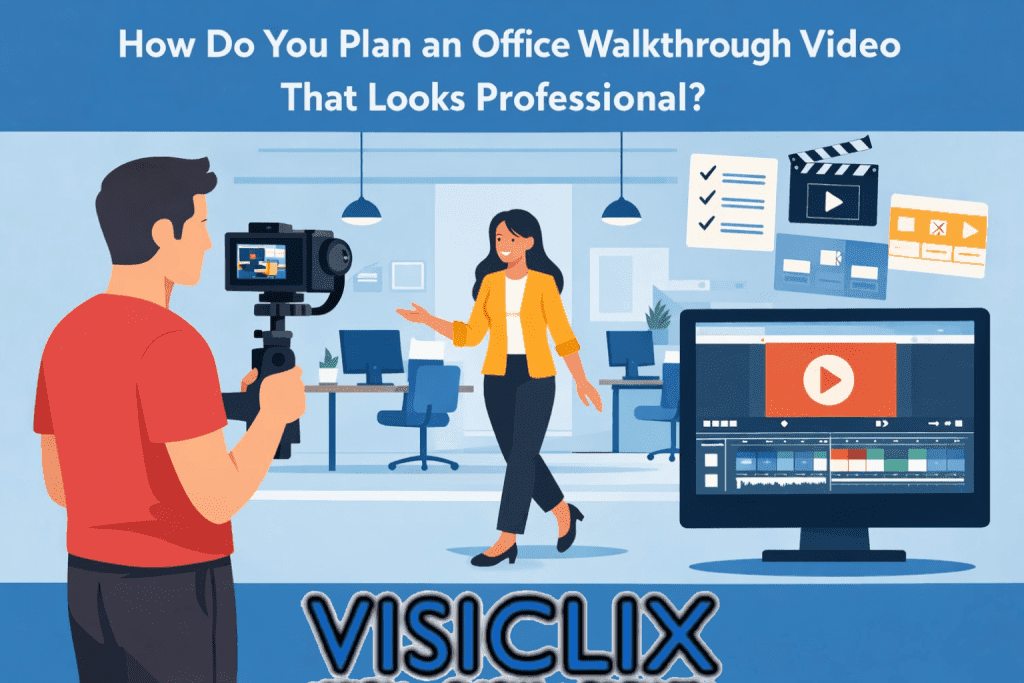
An office walkthrough video can do a lot more than show people where the desks and meeting rooms are. When it is planned well, it gives viewers a sense of your brand, your culture, and the experience of being in your space. It can help potential clients feel more confident in your business, give job candidates a better feel for your company, and make your brand look more polished online.
The difference between an average office walkthrough video and a strong one usually comes down to preparation. Businesses often assume they can just walk through the office with a camera and get something usable, but that usually leads to shaky footage, awkward pacing, and a final video that feels random. A professional-looking result starts with a clear goal, a practical shot list, and a better understanding of how to guide viewers through the space.
What Is an Office Walkthrough Video?
An office walkthrough video is a guided video tour of a workspace that shows the layout, atmosphere, branding, and day-to-day environment in motion. Unlike still photos, it helps viewers understand how the office feels as a complete space. That is part of what makes it useful for business websites, recruitment campaigns, social media, and brand storytelling.
Some office walkthrough videos are sleek and corporate, while others feel more casual and personality-driven. Some rely on music and visuals alone, while others include a presenter or voiceover. No matter the format, the goal is usually the same: help the viewer quickly understand the environment and form a positive impression of the business behind it.
Why Does an Office Walkthrough Video Matter for Your Business?
An office walkthrough video matters because it gives people a faster and more believable impression of your company than static content alone. A visitor can read a paragraph about your culture or professionalism, but video makes those ideas easier to see and trust. It brings your physical environment to life in a way that feels immediate and authentic.
That makes this kind of video valuable for several business goals at once. It can help build credibility with prospects, strengthen employer branding for recruitment, support sales conversations, and make your website feel more dynamic. It is also one of the easier video formats to repurpose, since footage from one shoot can often be cut into shorter videos for social platforms, recruiting campaigns, or email content.
What Should an Office Walkthrough Video Include?
A strong office walkthrough video should include the parts of your space that reinforce the message you want people to take away. That usually begins with an exterior or entrance shot, then moves into the reception area, main workspaces, meeting rooms, and any standout features that reflect the personality or professionalism of the company.
It is also important to show more than empty rooms. People help an office feel active, credible, and real. Even a few shots of employees collaborating, greeting visitors, or working naturally can make the video feel much more engaging. Branded details also matter. Signs, logos, décor, screens, and specialty areas help connect the space back to the business identity.
The key is not to show everything. It is to show the right things with intention.
How Do You Define the Goal of an Office Walkthrough Video Before Filming?
Before you build a shot list or choose a camera path, you need to know what the video is meant to do. That goal influences every creative decision that comes after it. If the main objective is recruitment, the video should highlight culture, team energy, and the overall work environment. If the goal is to impress potential clients, the focus may shift toward presentation, professionalism, and trust.
This step is often skipped because it sounds too simple, but it is one of the most important parts of the process. Without a defined purpose, the video can quickly become a collection of random clips with no clear direction. When the goal is set early, every location, camera movement, and editing choice can support a more focused final result.
How Do You Build a Shot List for an Office Walkthrough Video?
A shot list is what turns your idea into a real production plan. Instead of just saying, “We’ll film the office,” you identify the exact shots you need, where they happen, how they should look, and why they matter. That makes filming more efficient and gives the editor far better material to work with later.
For an office walkthrough video, a useful shot list should include the location, shot type, camera movement, action in frame, estimated duration, and any audio notes. Even a simple list like that can dramatically improve the shoot. It helps prevent missed moments, reduces confusion on set, and makes the whole video feel more intentional.
A good way to start is by breaking the office into zones. List the entrance, reception, main work area, conference rooms, breakout spaces, and any special features worth highlighting. Then decide how each one should be filmed. Some areas may need a wide reveal, while others are better shown through close-up detail shots or a slow moving shot that guides the viewer through the space.
What Is a Sample Office Walkthrough Video Shot List?
A simple office walkthrough video shot list might start with the exterior of the building, followed by the entrance, then the reception area, the main office floor, a few employee interaction shots, and detail shots of branding or design elements. It could then move into a meeting room, any standout spaces, and end with a closing shot that reinforces the company identity.
Here is one practical example of how that sequence might look in article form:
Start with a wide exterior shot to establish the location. Follow that with a medium shot of someone entering the office or opening the front door. Move into a wide shot of the reception area, then capture a close-up of the company logo or branded signage. After that, film a smooth walkthrough of the main workspace, followed by medium shots of team members interacting naturally. Add a reveal of the conference room, a few detail shots of amenities or design features, and a short presenter-led clip if someone is speaking on camera. Finish with a clean closing shot that supports your call to action.
That kind of sequence works because it gives the viewer orientation, variety, and progression. It also gives the editor enough flexibility to create a final video that feels polished instead of repetitive.
How Do You Shoot Smooth and Professional Office Walkthrough Footage?
Smooth office walkthrough footage starts with stabilization and pacing. If the camera shakes too much or moves too quickly, even a beautiful office can look unprofessional. Slow, steady movement almost always feels more premium than fast, rushed coverage. Whether you are using a dedicated camera or a smartphone, the footage should feel controlled.
It also helps to walk the route before filming. Test how you will move from one area to the next, where you may need to slow down, and where lighting or clutter might become a problem. This can save a lot of time on shoot day and make the finished video feel more natural.
Preparation inside the office matters too. Clean and stage the spaces before filming. Straighten chairs, remove distractions, tidy desks where appropriate, and decide which areas should look active. An office walkthrough video is not just documenting a space. It is presenting that space in a way that reflects the brand well.
What Camera Angles and Shot Types Work Best in an Office Walkthrough Video?
Wide shots are essential because they establish layout and help the viewer understand the size and flow of the office. They are especially useful at the beginning of the video and whenever the camera enters a new area. A wide shot tells the audience where they are.
Medium shots help create balance. They are ideal for showing employees in context, a presenter speaking to the camera, or a workspace with enough detail to feel lived-in without losing the sense of place. These shots make the office feel more approachable and human.
Close-ups are what add polish. They highlight brand details, décor, signage, screens, product displays, or small visual touches that help the office stand out. A walkthrough video that uses only wide shots often feels flat. A mix of wide, medium, and close-up footage creates more energy and a more professional finish.
How Long Should an Office Walkthrough Video Be?
An office walkthrough video should be long enough to communicate the key message clearly, but short enough to hold attention. There is no perfect length for every brand because it depends on where the video will be used and what it needs to accomplish.
A shorter version often works best for social platforms or homepage use, where viewers are deciding very quickly whether to keep watching. A longer version may work better for recruiting, business development, or an about page where people are already more interested in learning about the company. In many cases, the best approach is to create one main version and then edit shorter cutdowns for different platforms.
Should You Use Voiceover, Music, or On-Camera Talking?
That depends on the style and goal of the video. Voiceover works well when you want a polished, controlled message without worrying about location noise. Music helps create mood and can make a short walkthrough feel more dynamic and polished. On-camera talking creates a more personal connection and works especially well when the business wants to feel approachable and human.
In many cases, the strongest result comes from combining these elements. A presenter might introduce the office and close the video, while music carries the walkthrough itself. The important thing is to decide this before filming, because audio should be part of the planning stage rather than something added as an afterthought.
How Do You Make an Office Walkthrough Video More Engaging?
An engaging office walkthrough video needs progression. It should feel like the viewer is being guided through the space with purpose, not just watching a camera wander around. That means starting with a strong opening, moving logically from one area to the next, and varying the framing enough to keep the experience visually interesting.
People also make a big difference. Even a beautifully designed office can feel lifeless if it appears empty the entire time. Showing real moments of activity helps the space feel more believable and more welcoming. It gives viewers something to connect with beyond architecture or interior design.
The most effective office walkthrough videos also answer a question in the viewer’s mind. A prospect may be wondering whether the business feels trustworthy. A candidate may be wondering what it would be like to work there. A good walkthrough video quietly answers those questions through visuals, pacing, and presentation.
What Mistakes Should You Avoid When Filming an Office Walkthrough Video?
The most common mistake is filming without a real plan. That usually leads to repetitive footage, weak storytelling, and missing shots that would have helped during editing. A strong shot list prevents that by making sure each shot has a purpose.
Another common problem is shaky footage. Even if the office looks great in person, unsteady camera movement can make the final result feel amateur. Poor lighting, cluttered rooms, and rushed pacing can have the same effect. These issues are often easy to prevent, but only if they are considered before the shoot begins.
It is also a mistake to try to show too much. An office walkthrough video should feel curated. You do not need every hallway, every desk, or every room. A better strategy is to highlight the most important areas clearly and let the viewer leave with a strong impression instead of an overloaded one.
Can You Film an Office Walkthrough Video With a Smartphone?
Yes, you can absolutely film an office walkthrough video with a smartphone. In fact, many businesses can get strong results this way if they focus on planning, stabilization, and lighting. The device itself is often less important than how deliberately it is used.
That said, a smartphone does not remove the need for production discipline. You still need to clean the lens, stabilize movement, test your route, watch for noise, and capture multiple takes. A smartphone makes filming more accessible, but it does not automatically make the video look professional. The quality still comes from preparation.
How Do You Edit an Office Walkthrough Video for a Clean Final Result?
Editing is where the walkthrough becomes a real story. Start with your strongest establishing shot, then guide the viewer through the office in a way that feels natural. Use detail shots to break up longer sequences and maintain visual rhythm. Trim aggressively so that every moment adds something useful.
Music can help the pacing, but it should support the footage rather than overpower it. Text overlays can also be useful if they identify spaces or reinforce key messages, especially in a video that may be watched without sound. The goal is to make the final piece easy to follow, visually clean, and aligned with the brand.
A well-edited office walkthrough video should feel effortless to the viewer, even though it usually depends on careful planning behind the scenes.
Where Should You Publish an Office Walkthrough Video?
Your website should usually be the first place to publish it, especially on the homepage, about page, or careers page. Those are the places where trust and brand perception matter most. A walkthrough video can make those pages feel more alive and help people form a clearer impression of the company.
After that, the same footage can be adapted for platforms like LinkedIn, YouTube, Instagram, and email campaigns. A full version may work well on your website or YouTube channel, while shorter edits can support social engagement or serve as teaser content. This is one of the main reasons office walkthrough videos are such useful business assets: they can work in multiple channels without requiring a completely separate production each time.
Is an Office Walkthrough Video Worth Hiring a Professional Team For?
In many cases, yes. If the video will represent your business in a high-visibility way, professional planning and production can make a meaningful difference. A polished office walkthrough is not only about image quality. It is about structure, pacing, presentation, and making sure the final result actually supports your business goals.
That said, not every office walkthrough needs a full production crew. Some brands can create solid results in-house, especially for lighter social content or informal updates. But when the video is meant to shape first impressions, support lead generation, or represent the brand at a high level, professional execution is often worth the investment.
What is the difference between an office walkthrough video and an office tour video?
The terms are often used interchangeably, but an office walkthrough video usually emphasizes movement through the space, while an office tour video may include more commentary or explanation. In practice, most businesses use whichever term feels more natural for their audience.
How many shots do you need for an office walkthrough video?
There is no fixed number, but most effective office walkthrough videos use enough shots to establish the environment, show key details, include human activity, and create a clear beginning and ending. A concise version often works well with around 8 to 15 core shots, plus extra detail footage for editing flexibility.
Do you need employees to appear in an office walkthrough video?
Not always, but including people usually makes the video more engaging. It helps the office feel active and believable instead of overly staged or empty. For recruitment and culture-focused content in particular, people can add a lot of value.
What equipment is best for filming an office walkthrough video?
The most important thing is stability. A camera or smartphone paired with a gimbal, tripod, or other stabilization setup is usually more useful than expensive gear used poorly. Good planning, clean audio, and thoughtful framing matter just as much as the camera itself.
How do you write a simple office walkthrough video script?
Start by defining the goal, then map the route through the office. Write only the sections that actually need spoken lines, such as the opening, presenter moments, and closing call to action. The visuals should do most of the work, with the script supporting them rather than overexplaining them.
Can an office walkthrough video help with recruiting?
Yes. It gives potential candidates a clearer sense of the environment, company culture, and professionalism of the workplace before they apply or interview. That can make the business more appealing and help attract people who feel aligned with the setting.
Conclusion
A great office walkthrough video is not just a moving camera tour. It is a carefully planned visual experience that helps viewers understand your space and your brand at the same time. When the goal is clear, the shot list is practical, the footage is stable, and the edit is purposeful, the final result feels far more professional.
That is what makes this kind of video so useful. One well-made office walkthrough can support your website, your recruiting efforts, your sales process, and your social content all at once. Instead of treating it like a simple office tour, it is better to think of it as a brand asset that can work across multiple channels.
Why Visiclix is Your Ideal Choice for Office Walkthrough Video?
Visiclix is an ideal choice for an office walkthrough video because a strong result depends on more than filming a space attractively. It requires a clear production plan, an understanding of what viewers actually notice, and a strategy for turning a workplace into a compelling brand story. An office walkthrough should not just show the office. It should build confidence in the business behind it.
Visiclix can also approach an office walkthrough video as a performance-driven content asset rather than a one-off creative piece. That means thinking carefully about how the video supports trust, conversions, brand perception, and audience engagement across the channels where it will actually be used. With the right planning and execution, the final video becomes something far more valuable than a simple tour.
Ready to Create an Office Walkthrough Video With Visiclix?
If you want an office walkthrough video that feels polished, intentional, and genuinely useful for your business, Visiclix can help bring that together from the planning stage onward. The right strategy, shot list, and execution can turn a straightforward office tour into a video that strengthens your brand and gives viewers a reason to take the next step.