If you run an eye clinic, accessibility isn’t just a “compliance” topic—it’s a patient-access topic. The same people you serve in-office may rely on zoom, keyboard navigation, screen readers, captions, or high-contrast settings to book an appointment online. When your site blocks those experiences, you lose bookings and expose the practice to avoidable complaints.
This guide shows what ADA compliant medical website means in real-world terms for eye clinics, how to run a fast triage audit, and what to remediate first so patients can actually schedule, call, and complete forms.
What does “ADA compliant medical website” actually mean in practice?
An ADA compliant medical website is one that provides people with disabilities equal access to the services you offer online—think appointment requests, contact information, locations, insurance info, and patient resources—without unnecessary barriers.
The important nuance: the ADA does not publish a single official website checklist for every private business. Instead, the ADA requires nondiscrimination and effective communication, and the DOJ has consistently stated that websites must be accessible to people with disabilities.
Because the law is principle-based, most healthcare organizations use WCAG (Web Content Accessibility Guidelines) as the practical benchmark for building and auditing accessible sites. For many organizations—especially those affected by newer federal rules—WCAG 2.1 Level AA is the most common target to align efforts around a known standard.
Why are eye clinic websites uniquely sensitive to accessibility problems?
Eye care websites face a double exposure:
Your patient population is more likely to include people with low vision.
That means contrast, scalable text, readable typography, and predictable navigation matter more than in many other industries.Your highest-intent actions are interaction-heavy.
Appointment forms, online booking widgets, click-to-call buttons, maps, and downloadable instructions (often PDFs) are exactly where accessibility breaks most often—and exactly where conversions happen.Third-party tools are common (and risky).
Scheduling widgets, chat tools, map embeds, popups, and cookie banners can introduce keyboard traps or screen reader problems you didn’t create—but you still have to manage. This is a recurring theme in accessibility guidance for organizations that provide services online.
Which standards and deadlines should healthcare organizations understand right now?
Most private eye clinics think only about “ADA vs not ADA.” In healthcare, it’s often more layered:
ADA expectations (private practices)
For clinics open to the public, the ADA’s Title III requirements generally focus on effective communication and equal access. The DOJ’s web accessibility guidance makes clear that both governments and businesses open to the public need accessible web content.
DOJ Title II rule (state/local government entities)
In April 2024, DOJ finalized a rule for state and local governments (ADA Title II) that adopts WCAG 2.1 AA as the technical standard for covered web content and mobile apps. It took effect June 24, 2024.
HHS Section 504 final rule (healthcare organizations receiving HHS funding)
In May 2024, HHS issued a major update to Section 504 regulations that includes digital accessibility requirements for programs/activities receiving HHS financial assistance. The rule took effect July 8, 2024, with phased WCAG 2.1 AA compliance deadlines that begin May 11, 2026.
Why this matters to an eye clinic: if you’re affiliated with a hospital system, part of a larger network, or otherwise covered under Section 504 obligations through HHS funding pathways, you may have specific timelines and documentation expectations that go beyond “best practice.”
(If you’re unsure whether you’re covered, treat this as a reason to tighten accessibility sooner—not later.)
What are the most common accessibility failures on eye clinic websites?
These are the problems we see repeatedly on medical and eye care sites—especially across appointment journeys:
Keyboard access failures (can’t use the site without a mouse)
Menus that won’t open with Enter/Space
Focus that “disappears” (you can’t tell where you are)
Popups/modals that trap focus or can’t be closed with keyboard
Low contrast and low-vision barriers
Light gray text on white backgrounds
Buttons that rely on color alone (“green means available”)
Missing visible focus indicators (especially on PPC landing pages)
Images that don’t communicate to screen readers
Missing alt text on key images (e.g., “Schedule an appointment” icon)
Decorative images that create noise because they do have unnecessary alt text
Appointment forms that fail in predictable ways
Inputs without proper labels (screen readers announce “edit text” with no meaning)
Error messages that appear visually but aren’t announced to assistive tech
Date pickers and dropdowns that are keyboard-hostile
PDFs and patient documents that aren’t accessible
Pre-op instructions, intake forms, insurance guides—PDFs are often posted as scans or poorly tagged documents. HHS’s Section 504 update and many healthcare accessibility programs treat accessible documents as part of digital access obligations, not optional extras.
Video content without captions/transcripts
If you have LASIK explainers, doctor intros, or procedure walk-throughs, captions and transcripts reduce barriers and improve comprehension for everyone.
How can you run a “30-minute accessibility triage” on your clinic website?
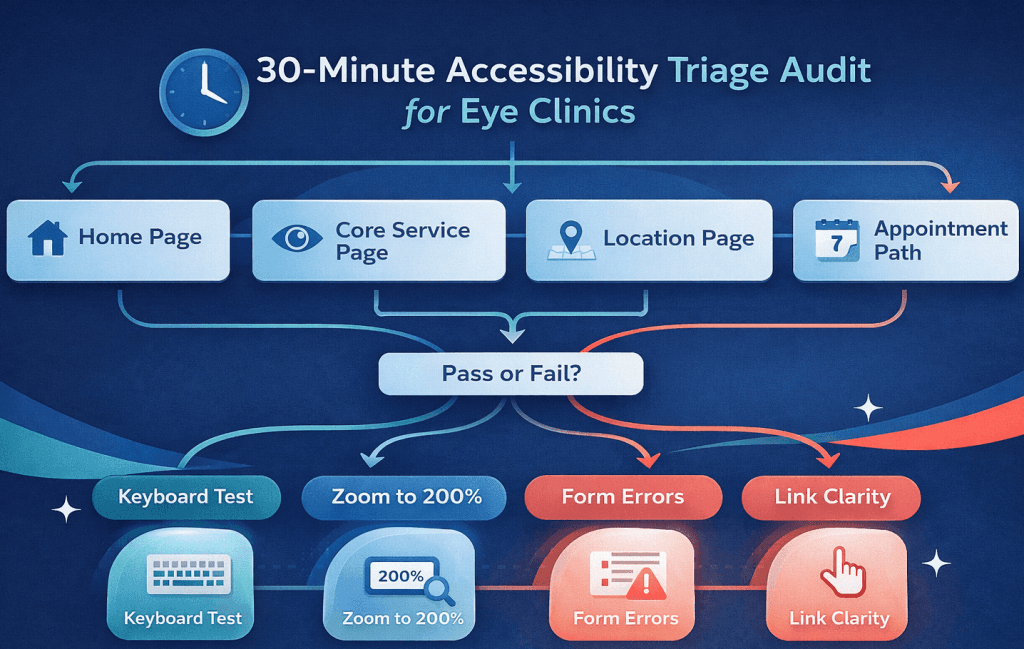
Here’s the fastest audit that reliably finds “booking killers.”
Step 1: Test the 4-page revenue route
Home page
Core service page (LASIK / cataract / dry eye / glaucoma)
Location page
Appointment path (request form / scheduling widget / phone)
Step 2: Do four manual checks (no tools required)
Keyboard-only: Tab through the page. Can you reach menus, buttons, form fields, and submit? Can you see focus?
Zoom to 200%: Does content overlap? Do popups become impossible to close?
Form errors: Submit empty fields. Are errors clear, specific, and placed near the field?
Link clarity: Do CTAs make sense out of context (“Click here” is a red flag)?
Step 3: Use automated scanning—but don’t stop there
Automated tools are great at spotting missing alt text, contrast issues, and some structural problems, but they can’t reliably validate real booking flows, widget behavior, or whether error messages are usable. Treat automation as a starting point, not a verdict.
What to write down for each issue: page URL, element (e.g., “Book Now button”), what happens now, what should happen, and severity (blocks booking vs minor).
What should you fix first to protect bookings, calls, and lead flow?
If you want the highest ROI (and the fastest risk reduction), prioritize in this order:
Priority 1: Appointment booking and request forms
Proper labels on every field
Keyboard-operable date/time selection
Error messages that are specific and perceivable
A confirmation message users can detect (not just a subtle visual change)
Priority 2: Click-to-call and location actions
Large tap targets on mobile
Clear text links (not icon-only)
Accessible alternatives to map embeds (e.g., a “Get directions” link plus address text)
Priority 3: Patient resources and PDFs
Convert the most-used PDFs into accessible HTML pages when possible
For PDFs you keep: ensure they’re properly structured and readable (not just scanned images)
Priority 4: Sitewide navigation and templates
Fix the header/menu, footer links, and global components last—after the booking path works end-to-end.
How do you remediate accessibility issues without hurting SEO or PPC performance?
Accessibility and SEO usually align because both reward clarity and structure:
Proper headings (H1/H2/H3) make content easier for assistive tech and easier for search engines to interpret.
Descriptive links (“Request an appointment”) are better than “Click here.”
Clean form markup helps users complete actions—and makes it easier to track conversions reliably.
The DOJ guidance emphasizes flexibility in how you comply, but not flexibility in whether users can access your services online.
PPC-specific pitfalls to watch:
Popups that steal focus or can’t be dismissed via keyboard
Countdown timers that distract screen readers
“Fake buttons” (styled divs) that don’t behave like real buttons
Color-only validation (“red border means error”)
Can an accessibility overlay make your site ADA compliant?
An overlay can add helpful controls (like text sizing or contrast toggles), but it usually does not fix the underlying issues that drive real-world complaints—like broken keyboard navigation, incorrect form labels, inaccessible PDFs, or third-party widget failures.
If you use an overlay at all, treat it as supplemental, not as your compliance strategy. A safer approach is:
remediate the actual code/content issues,
monitor regularly, and
publish a clear accessibility statement that tells patients how to get help.
What should an accessibility statement include on a medical website?
A good accessibility statement does two things: sets expectations and gives patients a fast path to support.
Include:
The standard you aim to meet (commonly WCAG 2.1 AA as a target)
Known limitations (e.g., “some older PDFs may not yet be fully accessible”)
A contact method for accessibility help (phone + email is ideal)
A response commitment (“we respond within X business days”)
A date showing it’s maintained, not abandoned
This aligns with DOJ guidance encouraging practical steps that improve access and communication.
How much does it cost to make an eye clinic website ADA compliant?
Cost depends on what you’re starting with and what’s attached to the site.
Main cost drivers:
Number of unique templates and pages
Complexity of forms and booking flows
Third-party widgets (scheduling, chat, patient portals)
Number and type of PDFs
Video library (captions/transcripts)
Whether your site is custom-built vs a standardized theme
Rule of thumb: remediation is cheapest when you fix the high-traffic templates and conversion paths first, then expand outward. For many clinics, that means you can show measurable booking improvements while you’re still working through the long tail of pages and documents.
How do you keep your website accessible as staff publish new pages and promos?
Most accessibility regressions happen during routine updates—new landing pages, new promo popups, new PDFs, new vendor tools.
Put a lightweight governance system in place
A short content checklist for staff (headings, links, images, PDFs, video captions)
A quarterly mini-audit of the appointment journey
Vendor requirements for any new widget: keyboard operability, focus visibility, screen reader support
Know what’s coming in WCAG
WCAG evolves. WCAG 2.2 became a W3C Recommendation on October 5, 2023, adding success criteria that emphasize focus visibility and mobile usability (like target size). Even if you’re targeting WCAG 2.1 AA today, these updates are useful direction for modern clinic sites and landing pages.
How does ADA accessibility impact PPC landing pages for eye clinics?
Accessible landing pages often convert better because they remove friction:
clearer forms,
clearer CTAs,
fewer “mystery” interactions,
and fewer mobile usability failures.
From a marketing standpoint, accessibility improvements tend to raise the baseline quality of user experience—which is exactly what you want when you’re paying for every click.
What to standardize for Visiclix-style PPC pages:
One primary CTA that’s a real button
A form with explicit labels + useful error messages
No modal that blocks the page without keyboard-safe controls
Visible focus states on every interactive element
High-contrast, readable typography designed for real patients
FAQ
Is ADA compliance required for private eye clinics?
In practice, private clinics open to the public are expected to provide accessible online services as part of nondiscrimination and effective communication. The DOJ’s guidance covers businesses open to the public and explains how they can make websites accessible in line with ADA requirements.
Is WCAG 2.1 AA the right target for an ADA compliant medical website?
It’s the most common practical target because it’s a well-defined technical standard and is referenced in major federal accessibility rules for certain covered entities (e.g., DOJ Title II rule; HHS Section 504 rule).
Are patient portals and booking tools covered if they’re third-party?
If the portal or widget is part of how patients access your services, it can still create access barriers you need to address—often through vendor selection, contract requirements, or accessible alternatives.
Do PDFs (intake forms, post-op instructions) need to be accessible?
For many healthcare organizations—especially those impacted by HHS Section 504 obligations—accessible documents are part of digital access expectations, not just the website pages.
What are the quickest fixes that improve accessibility and conversion rate?
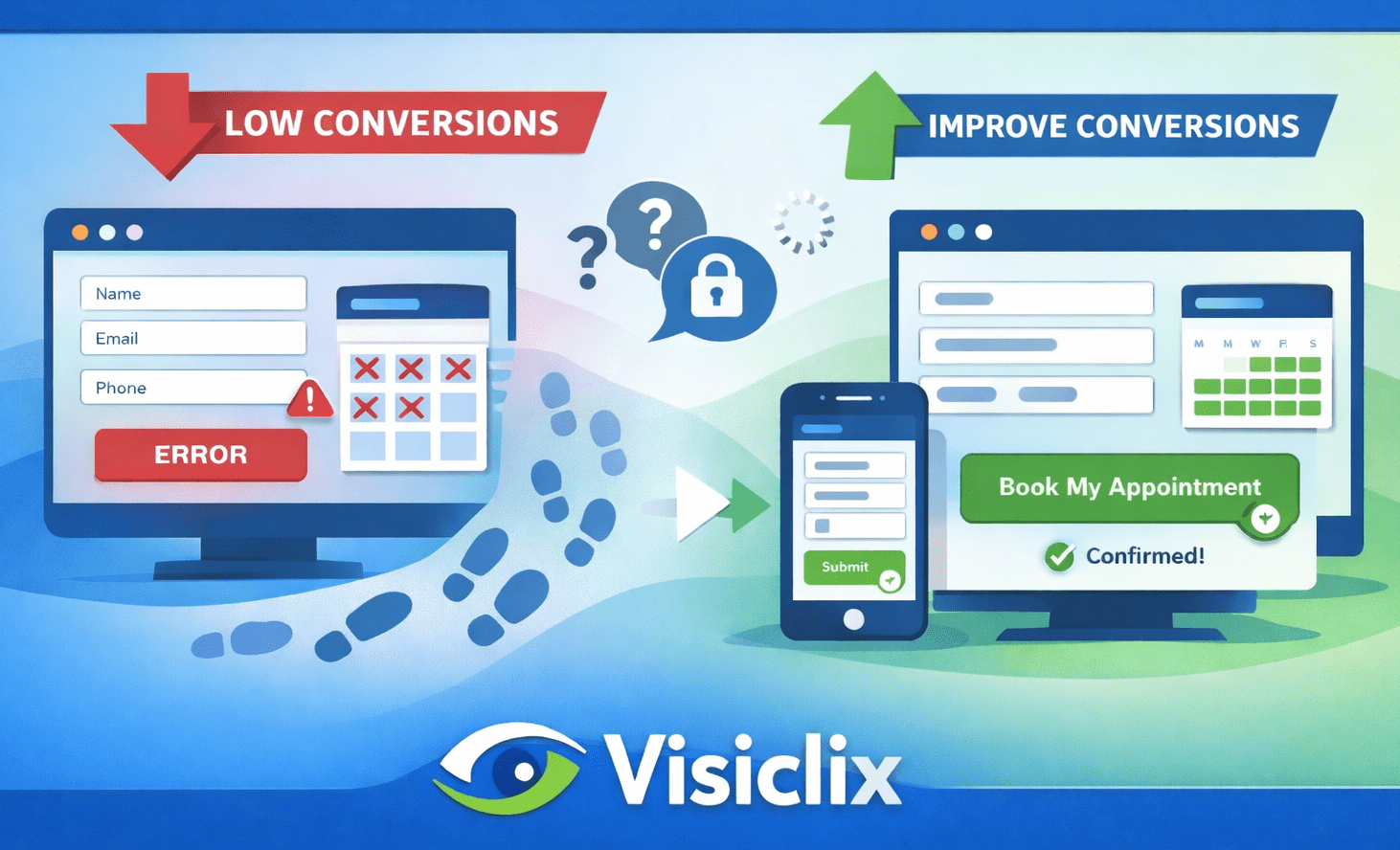
Fix the appointment path first: form labels, keyboard navigation, visible focus, contrast, and error messaging. These changes remove booking friction for everyone, not just users of assistive tech.
Can an overlay alone reduce my risk?
Overlays can help with surface-level adjustments, but they generally don’t remediate underlying issues like form semantics, keyboard traps, or inaccessible documents. A real remediation + monitoring plan is more defensible.
How often should an eye clinic re-test accessibility?
At minimum: after any redesign, after major widget changes, and quarterly for the appointment journey. If you run frequent PPC landing pages, bake basic accessibility checks into every launch.
Conclusion
An ADA compliant medical website for an eye clinic isn’t about chasing a perfect score—it’s about making sure patients can find care, understand options, and book successfully without barriers. Start with a 30-minute triage of your booking path, remediate the issues that block forms and calls, address your PDFs and third-party tools, then maintain accessibility through simple governance and recurring checks. DOJ guidance makes the expectation clear: online services must be accessible to people with disabilities.
Why Visiclix is Your Ideal Choice for an ADA Compliant Medical Website?
Visiclix approaches accessibility the way your patients experience it: as a usability requirement that directly affects trust and bookings. We don’t start with abstract checklists—we start with your highest-intent pages (service pages, location pages, and the appointment journey) and identify the exact barriers that prevent patients from taking action.
We also build remediation around performance marketing realities. That means protecting your tracking, preserving landing-page conversion rates, and improving the parts of the site that PPC traffic hits first. The outcome is an accessibility plan that’s practical, measurable, and designed to keep your clinic’s online access strong as your website evolves.
Get an Accessibility + Conversion Audit from Visiclix
If you want clarity fast, Visiclix can audit your core pages and appointment flow, then deliver a prioritized fix plan your team can implement quickly—focused on booking blockers, high-risk issues, and the highest-ROI improvements.
Request your Visiclix Accessibility + Conversion Audit to identify what to fix first and what will move conversions fastest.