If your optometry or ophthalmology website is supposed to generate appointments, two things must work together:
- A low-friction booking experience (CRO: conversion rate optimization)
- A HIPAA-safe way to collect and handle patient information
When either one breaks, clinics usually see one of these problems:
- “Our site looks good, but online bookings are low.”
- “We have forms/booking, but we’re not confident it’s HIPAA compliant.”
- “We removed forms for compliance reasons—and conversions dropped.”
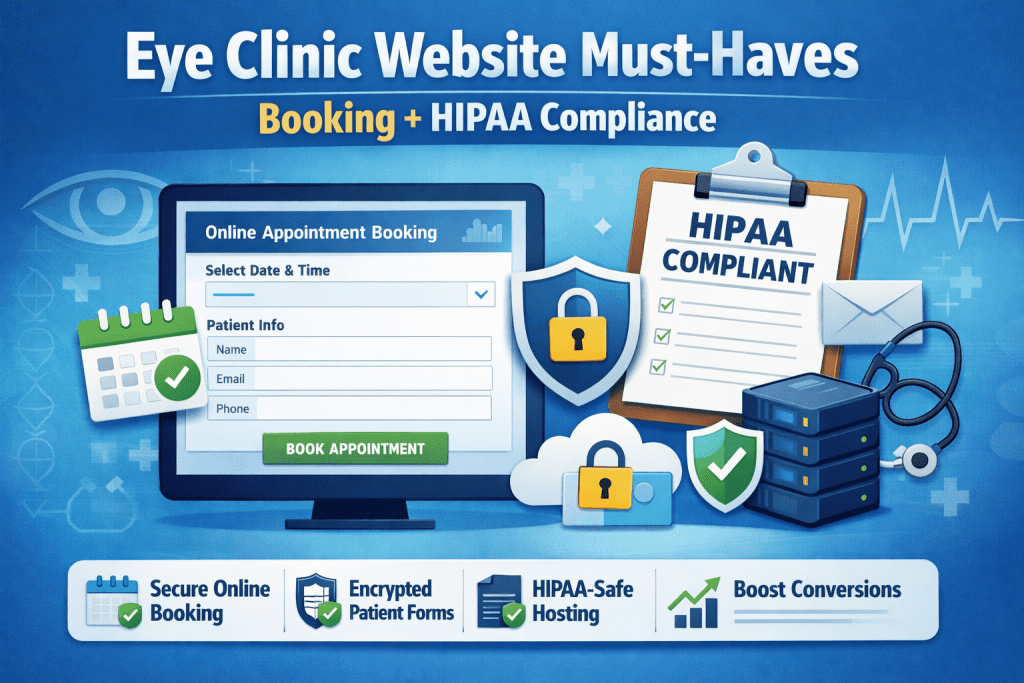
This guide covers the practical must-haves for building a HIPAA compliant optometry website that still drives appointments.
What Creates HIPAA Risk on an Eye Clinic Website?
HIPAA concerns typically show up when your site collects or transmits protected health information (PHI)—especially if it connects health details to an identifiable person.
Common website sources of PHI include:
- Appointment requests that include symptoms or diagnoses (“my vision suddenly got blurry”)
- Patient message forms
- File uploads (insurance cards, referrals, medical notes)
- Live chat transcripts
- Call recordings or voicemail transcriptions stored by third-party tools
Bottom line: If a website tool touches patient health info, it should be treated as part of your HIPAA risk surface.
Must-Have #1: Online Booking That Converts (and Minimizes PHI)
The CRO goal
Making a booking takes under 60 seconds for most patients.
The HIPAA-smart goal
Collect minimum necessary info during booking, then move sensitive intake to a secure workflow.
High-converting booking flow (recommended):
- Choose appointment type (Eye Exam / Contact Lens / Medical Visit)
- Choose provider/location (optional)
- Pick a time
- Enter minimal contact info (name + phone/email; DOB only if needed)
- Confirmation + next steps (“You’ll receive a secure link to complete forms”)
Avoid on the first booking screen:
- Open text boxes like “Describe your issue”
- Upload fields
- Full medical history questions
Conversion tip: Patients are more likely to finish detailed intake after they’ve already secured a time slot.
Must-Have #2: HIPAA-Appropriate Patient Forms (The #1 Compliance Trap)
Many standard website forms are built for speed—not healthcare compliance.
If forms collect PHI, you want systems that support:
- Secure transmission (encryption in transit)
- Access controls
- Auditability (who accessed what and when)
- Vendor accountability (often via a Business Associate Agreement, or BAA)
Best practice: Keep the marketing website “clean,” and send patients to a secure intake flow after booking.
Conversion tip: Add progress indicators on secure intake (“Step 1 of 3”) so patients finish more often.
Must-Have #3: HIPAA-Safe Hosting (or a HIPAA-Safe Website Architecture)
There are two common approaches:
Option A: HIPAA-focused hosting/architecture
Useful when your website itself stores or processes PHI (e.g., forms stored on the site’s server).
Option B (often simplest): Keep PHI off the marketing site
Your WordPress pages focus on marketing and booking—but anything involving PHI happens in:
- A HIPAA-ready scheduling platform
- A patient portal
- An EHR-integrated intake system
This approach often reduces risk because fewer website plugins/vendors touch PHI.
Must-Have #4: Vendors That Will Sign a BAA (When Required)
If a third party stores, processes, or transmits PHI on your behalf, you typically need the right compliance relationship in place—often including a BAA.
Website tools that frequently need review:
- Booking/scheduling platforms
- Form builders / intake forms
- Live chat widgets (transcripts)
- Call tracking tools (recordings, transcriptions)
- Email/SMS reminder systems
- Hosting providers (if PHI is stored there)
Conversion tip: Compliance doesn’t mean fewer tools—it means choosing the right tools and implementing them correctly.
Must-Have #5: Secure Messaging / Patient Portal (If You Offer Communication)
If your clinic allows online messaging, portal access can be a better fit than general contact forms because it supports controlled access and secure workflows.
Header best practice:
- Primary CTA: Book Appointment
- Secondary utility link: Patient Portal Login
Must-Have #6: The “Trust Stack” That Increases Bookings
Patients decide quickly whether a clinic feels credible online. Add a trust stack that reduces anxiety and drives action:
- Prominent reviews (Google rating + count)
- Insurance accepted (or “We accept most major plans”)
- Provider photos and credentials
- Clear services (“Eye Exams,” “Contacts,” “Dry Eye,” etc.)
- Clear location and hours
- Fast “Call” and “Book” buttons on mobile
- Privacy and communication guidance (see below)
Add these notices near forms and contact options
- “Please don’t submit urgent medical concerns here. If this is an emergency, call 911.”
- “For medical questions, please use our secure portal” (only if you actually have one)
Conversion tip: Put the “Book” button at least once per screen length on key pages—especially services pages.
Must-Have #7: Mobile Speed + UX (Non-Negotiable for CRO)
Even a compliant setup won’t convert if the site is slow or confusing on phones.
Quick CRO checklist:
- Mobile-first layout
- Compressed images
- Minimal popups
- Sticky mobile CTA bar (Call / Book)
- Appointment page loads fast
Quick Checklist: HIPAA Compliant Optometry Website (Booking + CRO)
Booking & UX
- Minimal-info booking flow
- No open symptom text box at first step
- Mobile-friendly scheduling
Forms & Security
- PHI handled through secure tools/workflows
- Vendors reviewed for HIPAA readiness (BAA when needed)
- Secure intake process after booking
Conversion
- Strong trust stack (reviews, insurance, credentials)
- Clear CTAs and “what happens next”
- Speed + mobile optimization
Common Mistakes Eye Clinics Make Online
- Collecting symptoms/PHI through a basic “Contact Us” form
- Using chat widgets that save transcripts without proper safeguards
- Over-asking too early (too many fields before booking is confirmed)
- Slow mobile appointment pages
- No clear next step after submitting a form
Want a Website That Books More Patients (Without Creating HIPAA Headaches)?
At Visiclix, we build and optimize eye clinic websites for conversions—without ignoring healthcare compliance realities. If you want help improving bookings, cleaning up forms, or tightening your website workflow, we can review your current setup and recommend a safer, higher-converting architecture.
FAQ
Is online booking HIPAA compliant for optometry websites?
Online booking can be HIPAA-appropriate when it minimizes PHI during scheduling and uses secure systems for any health details or intake forms.
Are website contact forms HIPAA compliant?
Many standard web forms are not designed for PHI. If patients can submit health info, you should use a secure, healthcare-appropriate intake workflow.
What’s the safest way to handle patient intake online?
A common approach is to confirm an appointment first, then send patients a secure link or portal to complete intake forms.