If you manage SEO for a multi-location optometry brand, the fastest wins usually come from technical cleanup: making sure Google can crawl the right pages, index the right pages, understand each location correctly, and measure conversions without leaks. This optometry SEO audit checklist focuses on exactly that—so you can turn “we think SEO is working” into “we can prove it’s generating calls and bookings.”
What is an optometry SEO audit, and what counts as “technical” for multi-location sites?
An optometry SEO audit is a structured review of everything that can stop your clinic pages from ranking and converting—especially for searches with local intent (e.g., “eye exam near me,” “dry eye clinic,” “myopia control”). The technical part is the foundation: crawlability, indexation quality, site speed (Core Web Vitals), duplicates/canonicals, architecture, structured data, and tracking integrity.
For multi-location brands, technical SEO gets harder because you’re managing:
- Dozens (or hundreds) of location URLs
- Templates that can accidentally create duplicate pages
- Store locators, filters, and parameters that create index bloat
- Booking tools on separate domains that break attribution unless configured correctly
Which tools do you need for an optometry SEO audit, and what does each tool answer?
You can run a high-signal audit with this stack:
- Google Search Console (GSC): indexing status, crawl issues, page performance, and CWV reporting
- GA4 + (ideally) Google Tag Manager: conversion measurement and attribution; cross-domain measurement for booking platforms
- A crawler (Screaming Frog / Sitebulb): find indexation problems at scale (canonicals, redirects, status codes, internal linking)
- PageSpeed Insights / Lighthouse: diagnose template-level performance problems tied to CWV
- Google Business Profile (GBP): validate real-world business representation and policy-aligned details across locations
How do you run a crawl that actually reflects how Google sees your optometry website?
A crawl only helps if it matches reality. For multi-location sites:
- Crawl from the XML sitemap (if it’s trustworthy) and from the site’s internal links (to find orphan pages).
- Render JavaScript if your templates rely on JS for navigation, content, or canonicals.
- Export a “fix list” dataset:
- URLs + status codes (200/3xx/4xx/5xx)
- Canonical URL, indexability, robots directives
- Title/H1 duplicates (for location/service templates)
- Internal inlinks (to identify weakly supported money pages)
This makes your audit deliverable actionable—not a PDF of opinions.
How do you confirm your key pages are crawlable and indexable without accidental blockers?
Use this checklist in order—because the early steps can invalidate everything else.
Crawlability checks
- robots.txt: Confirm you’re not blocking key sections (services, locations, doctors). Remember: robots.txt is primarily about crawl control and isn’t a reliable way to keep a page out of Google’s index by itself.
- Ensure important resources (CSS/JS) aren’t blocked in ways that prevent Google from rendering pages properly.
Indexability checks
- Scan for accidental noindex (especially after redesigns or staging pushes).
- Verify canonical URLs are set correctly and consistently (self-referential where appropriate; consolidated where duplicates exist).
- In GSC, audit excluded states like “Crawled – currently not indexed.” This often reflects Google deciding a page isn’t valuable enough (or is too duplicative), not a pure technical failure—so your fix is usually improving uniqueness and clarity, not “resubmitting harder.”
How do you prevent index bloat from location pages, filters, and “near me” variations?
Index bloat is one of the most common multi-location killers: Google wastes crawl on low-value URL variants, while your best pages get diluted.
Audit actions that typically matter most:
- Remove parameterized, faceted, and tracking URLs from the index (and ideally from internal linking).
- Ensure XML sitemaps list only the URLs you actually want indexed (canonical, high-value pages).
- Flag pages that exist only to target slight variations (e.g., dozens of near-identical “neighborhood” pages) and decide: merge, improve, or noindex.
Doorway-style location pages are a real risk when you publish many pages that lead users to essentially the same destination with minimal unique value.
How do you audit canonicals, redirects, and duplicate content across multiple clinic locations?
This is where multi-location optometry sites usually leak ranking potential.
Canonicals
- Confirm the canonical is declared clearly in HTML and not being changed unpredictably by JavaScript.
- Identify templates where different pages all canonicalize to the same URL (often unintentional).
Redirect hygiene
- Fix redirect chains and loops (they waste crawl and slow users).
- Standardize HTTPS and preferred host (www vs non-www) so you don’t create duplicates.
Duplicate content patterns to look for
- Location pages that differ only by city name swaps
- Service pages duplicated per location without meaningful unique value
- Multiple URLs showing the same page due to trailing slash or query variants
Your goal isn’t “avoid reuse of templates”—it’s ensure each indexable page has a distinct purpose, distinct proof, and distinct internal support.
What’s the best URL and site structure for multi-location optometry SEO—and how do you validate yours?
A good structure makes Google’s job easy:
- Locations: one URL per real clinic (with unique on-page proof)
- Services: evergreen service hubs + service detail pages that locations can reference
- Doctors: only if you can support them (bios, credentials, schema, unique content)
Validate by checking:
- Important pages within 1–3 clicks
- Location pages linked from a store locator and from relevant service content
- Internal anchors that actually describe what users want (e.g., “myopia control,” “dry eye treatment,” “contact lenses”)
Also audit for “thin” location pages that exist mainly because the template allows it—these are the ones that often end up “crawled, not indexed.”
How do you check Core Web Vitals and speed issues that hurt both rankings and bookings?
Core Web Vitals are measured as LCP, INP, and CLS, and Search Console surfaces CWV performance across your site.
Audit by template, not just by “a few slow pages”:
- Homepage template
- Location template
- Service template
- Booking/contact template
Common optometry culprits:
- Uncompressed hero images (especially on location pages)
- Third-party booking widgets and chat tools blocking main thread
- Fonts and scripts loading in the wrong order
Fix levers that usually move the needle:
- Optimize images (WebP/AVIF, correct dimensions, lazy-loading where appropriate)
- Defer or delay non-critical scripts
- Improve caching / CDN configuration
Visual suggestion (1 of 2): Create a “Template CWV Scorecard” graphic showing pass/fail for LCP/INP/CLS across your 4 key templates, plus the top 1–2 fixes per template.
How do you audit structured data and local signals for every clinic location?
Structured data helps Google understand your business details and can support richer results.
For multi-location optometry, focus on:
- LocalBusiness structured data on location pages (hours, address, departments where relevant)
- Organization structured data at the brand level
Then reconcile GBP data vs website data:
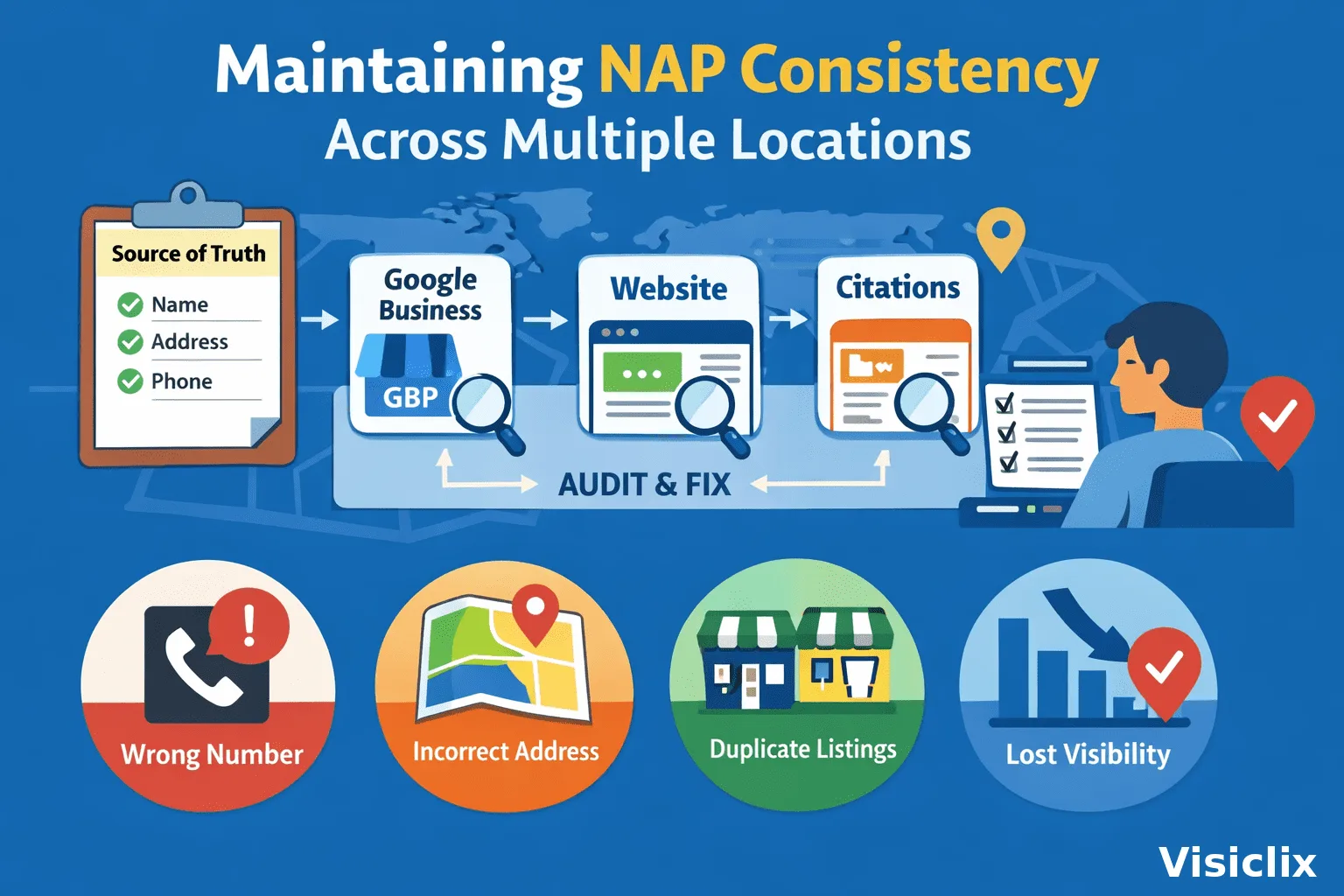
- Make sure each location is represented accurately and consistently (name/address/phone/hours) to avoid confusion and guideline issues.
How do you find internal linking problems that stop service and location pages from ranking?
Internal linking is your “ranking multiplier” once crawl and indexation are healthy.
Audit for:
- Orphan pages (no internal links)
- Money pages that only appear in the footer (weak signal)
- Location pages that don’t link to relevant services (and vice versa)
- Blog posts that generate traffic but never pass it to service/location pages
A good internal linking system for optometry typically includes:
- A Services hub page that links to high-intent service pages
- Location pages that highlight each clinic’s priority services and link out clearly
- Blog articles that link into the most relevant service page and the nearest location page
How do you verify analytics, call tracking, and booking tracking so your audit ties to revenue?
A technical audit that doesn’t validate conversion tracking is incomplete.
Checklist:
- GA4 has events for calls, forms, booking clicks, and key engagement points.
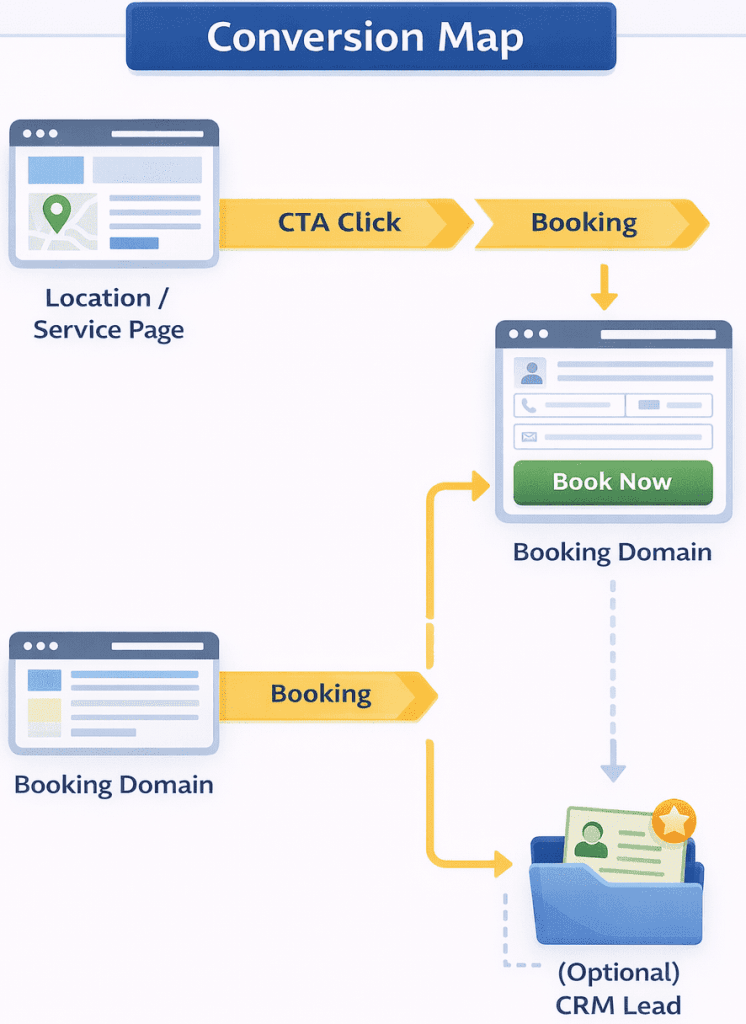
- If your booking platform is on a different domain, configure GA4 cross-domain measurement so sessions don’t break and attribution stays credible.
- Validate that cross-domain clicks aren’t being misclassified as “outbound” due to your cross-domain setup.
Visual suggestion (2 of 2): Draw a one-page “Conversion Map” for each location template: Location/Service Page → CTA click → booking domain → confirmation event → (optional) CRM lead.
What should your optometry SEO audit deliverable include so fixes actually happen?
If you want execution—not just analysis—your deliverable should include:
- Issue list + evidence: URLs affected, how found, why it matters
- Fix recommendations: what to change (and where)
- Impact/Effort score: so stakeholders can prioritize quickly
- QA checklist: what to verify after deployment (status codes, canonicals, GSC coverage, CWV changes)
How do you prioritize optometry SEO audit fixes using an Impact/Effort matrix?
A simple prioritization approach that works:
Highest impact, often fastest
- Accidental noindex, robots blocks, bad canonicals
- Broken tracking or cross-domain measurement issues
- Severe CWV failures on templates
High impact, medium effort
- Location page duplication and doorway risk mitigation
- Site architecture and internal linking improvements
Lower effort wins
- Sitemap cleanup and redirect hygiene
- Structured data alignment for brand and locations
What is a practical 30-day technical fix plan after an optometry SEO audit?
Week 1: Crawl + indexation + tracking
- Resolve blockers (robots/noindex/canonicals)
- Fix critical analytics gaps (calls/forms/booking clicks; cross-domain)
Week 2: Speed + CWV
- Tackle worst templates first (usually location and booking pages)
Week 3: Multi-location architecture cleanup
- Prune/merge thin or duplicative location variants
- Improve location page uniqueness and internal linking
Week 4: Structured data + local consistency + QA
- Implement LocalBusiness and Organization schema where appropriate
- Re-verify GBP alignment and business representation guidelines
- Re-crawl + spot check GSC reports
FAQ
How often should you run an optometry SEO audit for a multi-location clinic group?
At minimum, quarterly—and anytime you redesign, migrate domains, change your store locator, or switch booking platforms (those changes often break indexing or attribution).
Can you have multiple location pages without creating doorway pages?
Yes—if each page represents a real location and offers distinct value. Doorway concerns show up when many similar pages exist mainly to rank for similar queries and lead users to the same destination.
What’s the fastest technical fix that usually improves optometry SEO?
Fixing accidental blockers (noindex, robots issues), correcting canonicals, and cleaning up redirect chains—because these immediately change what Google can crawl and index.
Should optometry clinics use call tracking numbers on their websites?
They can, but you need to implement it carefully (often with dynamic number insertion) so business information stays consistent and measurement remains accurate.
Why are some location pages crawled but not indexed?
Often because Google doesn’t see enough unique value or clarity (thin/duplicate templates), not because the page “failed technically.”
Do Core Web Vitals matter if you already rank in the map pack?
They still matter for the website experience and conversions—and Google surfaces CWV reporting in Search Console for a reason.
What’s the difference between a local SEO audit and an optometry SEO audit?
A local SEO audit emphasizes GBP, citations, reviews, and local relevance. An optometry SEO audit should include those—but also the technical foundation that determines whether service and location pages can consistently rank.
Conclusion
A high-performing optometry SEO audit isn’t just “run a tool and list errors.” For multi-location clinics, it’s about index quality, template performance, duplicate control, clean entity signals, and revenue-grade tracking. When you fix those, rankings are easier to earn—and more importantly, you can prove SEO is generating new patient actions.
Why Visiclix is Your Ideal Choice for an Optometry SEO Audit?
Visiclix approaches the optometry SEO audit as an execution plan, not a diagnostic document. That means every finding comes with the affected URLs, the specific technical cause, and a recommended fix that maps cleanly to an owner—marketing, dev, or content—so nothing stalls after the audit.
For multi-location brands, Visiclix focuses on what typically drives the biggest lift: reducing index bloat, strengthening the relationship between locations and services, and validating measurement end-to-end so your reporting reflects reality. If your booking flow spans multiple domains, Visiclix treats cross-domain attribution as a core requirement—not an afterthought.
Get Your Optometry SEO Audit From Visiclix
If you want a technical audit that turns into measurable growth, Visiclix will deliver:
- A prioritized technical backlog (Impact/Effort scored)
- Indexation + duplication cleanup plan for multi-location architecture
- Core Web Vitals and template performance fixes
- GA4 conversion validation (including cross-domain booking measurement where needed)
Next step: Share your site URL(s) and how your locations are organized (store locator, subfolders, subdomains, or separate sites). Visiclix can then map this checklist into a concrete audit plan and deliverables.