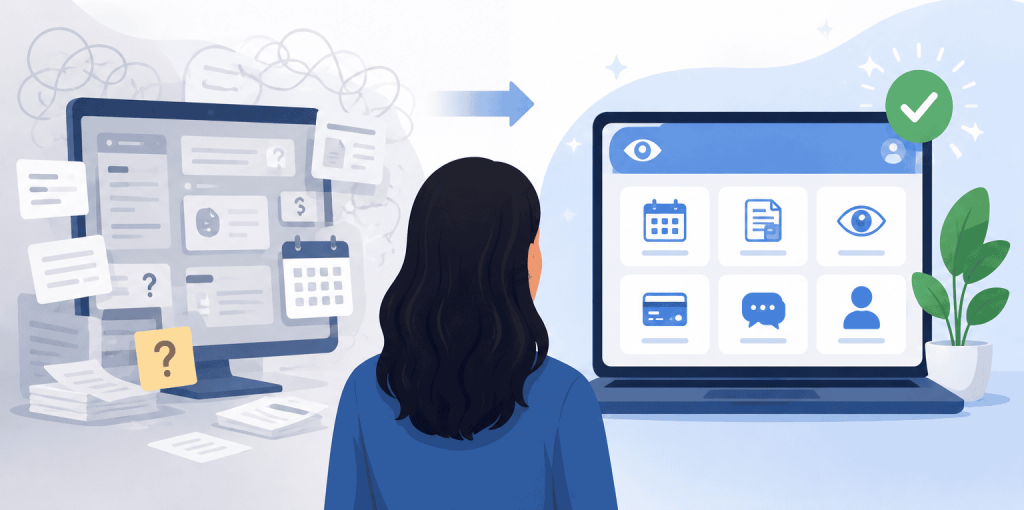
Eye clinics can improve the patient portal experience by making routine tasks easier to find, understand, and complete. Patients should quickly know how to register, where to find test results and prescriptions, what a balance means, what action to take next, and when they need to contact the clinic another way.
A useful approach to patient portal marketing for eye clinics is to treat the portal as part of the overall patient journey rather than a piece of software patients are expected to figure out on their own. That matters because portal use is now common. In 2024, 65% of individuals nationwide accessed their online medical records or patient portal at least once, according to the Office of the National Coordinator for Health Information Technology.
The same principle applies across other digital touchpoints. Clinics that align patient experience with their eyecare marketing goals can create a more consistent experience from the first search through post-visit communication.
What Information Should Patients Be Able to Find Quickly in an Eye Clinic Portal?
Patients should be able to find their most commonly needed information without translating medical or administrative terminology first. That includes visit summaries, test and imaging results, current prescriptions, outstanding balances, forms, appointments, and appropriate messaging options.
This is particularly important for records and results. HHS notes that patients generally have a right under HIPAA to inspect and receive copies of their medical records, while ONC identifies test results, clinical notes, medications, appointments, secure messaging, prescription refills, payments, and forms as common portal functions.
Labels should describe what patients will actually find. “View Test Results” is clearer than “Clinical Documents.” “Glasses Prescription” is more useful than an unexplained “Rx.”
For eyeglass and contact lens prescriptions, clarity has another benefit. FTC rules require eye care prescribers to provide patients with copies of qualifying eyeglass and contact lens prescriptions under applicable conditions. If a prescription is delivered through the portal, the patient should be able to recognize it, access it, and understand whether it is for glasses, contacts, or medication.
How Can Eye Clinics Make Portal Forms Easier to Understand and Complete?
Eye clinics can improve forms by telling patients exactly what information is needed, why it is being requested, and what happens after submission.
Start with descriptive form names. “New Patient Medical History” is more useful than “Form 2.” Clearly identify required and optional fields, explain unfamiliar insurance or medical terms, and show expected formats for dates, phone numbers, or other structured information.
Accessibility guidance from W3C recommends providing labels or instructions whenever users need to enter information. Clear labels and required-field instructions can reduce incomplete or incorrect submissions.
Long forms also benefit from logical sections and visible progress. And once a patient submits something, say so. A clear “Your form was submitted successfully” message removes the uncertainty that often leads to a follow-up call.
These usability principles should extend beyond the portal to website design for eye care practices so patients encounter clear instructions throughout the digital journey.
How Should Eye Clinics Explain Portal Registration, Login, and Account Recovery?
Registration instructions should assume that some patients have never used the portal before.
Tell patients where to register, whether they need an invitation or activation code, what information they should have ready, and what password rules apply before they attempt to create an account. Then make password resets, expired invitations, locked accounts, and support options easy to locate.
AHRQ specifically recommends choosing portals that are easy to sign into and providing patient training when needed. Its health literacy guidance also suggests showing patients how to log in and retrieve information instead of assuming that access to a portal automatically means patients know how to use it.
Short instructions. Screenshots where useful. A visible help option when self-service does not work.
What Should Patients Know About What the Portal Can and Cannot Be Used For?
Patients should know which requests belong in the portal and which require another communication channel.
A portal might support routine questions, records access, prescription requests, billing questions, appointment-related messages, and non-urgent communication. The exact capabilities depend on the clinic’s system and workflow, so the interface should not imply that every request can be handled there.
Response expectations matter too. If messages are reviewed only during business hours, say that. If a particular type of request needs a phone call, give the correct number or instructions at the point where the patient is making that decision.
For clinics reviewing the distinction between their public website, scheduling tools, secure forms, and patient portal, Visiclix’s guide to online booking and HIPAA-conscious website workflows covers that topic separately.
How Can Clear Labels, Calls to Action, and Notifications Make the Portal Easier to Use?
Every portal message should help the patient answer three questions: What happened? What does it mean? What should I do next?
“New Document Available” creates more work for the patient. “Your visit summary is ready to view” provides context. Likewise, a button labeled “Pay Balance” is more informative than “Continue,” while “Send Registration Form” communicates more than a generic “Submit.”
AHRQ recommends plain, non-medical language in patient communication, while W3C advises using descriptive headings and labels so users can understand a page’s organization and purpose.
The same copywriting principle applies to marketing pages. Visiclix’s guidance on clearer eye care landing-page copy emphasizes making the patient’s next step understandable rather than forcing visitors to decode vague messaging.
How Can Better Portal Content Reduce Calls to the Front Desk?
Better portal content can reduce avoidable calls by answering the questions that repeatedly send patients to the phone.
Start by categorizing portal-related calls for several weeks. Are patients asking where their results are? Whether a form was received? Why they have a balance? How to reset a password? Where to find their prescription? Whether they can send a particular request through the portal?
Then improve the content at the source of each question.
Billing is a good example. CMS explains that medical bills can contain several different amounts, including total charges, insurance payments, patient payments, and the remaining patient responsibility. A portal that simply displays a number beside “Balance” may leave patients wondering what they actually owe and why.
Track the results after changes. Portal-related call volume, login assistance requests, repeated billing questions, form completion, and patient feedback can show whether the experience is becoming clearer. Reviews can provide another useful signal, which is why using patient feedback to improve the experience should be part of the broader process.
What information should an eye clinic patient portal include?
An eye clinic portal should make commonly needed records, results, prescriptions, bills, forms, appointments, and messaging options easy to find. The exact features will depend on the clinic’s EHR and portal system, but the organization and labels should reflect the tasks patients actually want to complete.
How can eye clinics make test results easier for patients to understand?
Use descriptive result names, explain what type of test the patient is viewing, and provide clear information about the next step. AHRQ recommends checking whether results are easy for patients to understand, while portal information should complement rather than replace appropriate communication with the care team.
How can eye clinics help patients who have trouble using online portals?
Provide simple registration instructions, mobile-friendly pages, password-recovery help, and staff assistance when needed. AHRQ specifically recommends portal training because even patients with strong health literacy may have limited computer skills.
Can improving a patient portal help reduce administrative workload?
It can reduce some repetitive administrative questions when patients can independently find records, understand balances, complete forms, and solve basic login problems. AHRQ notes that efficient communication systems can benefit patients while saving practice time, although clinics should still maintain an accessible way to reach staff when help is needed.
What Should Eye Clinics Fix First?
Start with the confusion patients are already showing you.
Review common portal-related calls, repeated login problems, misunderstood billing questions, incomplete forms, unclear notifications, and patient feedback. Then fix the highest-volume friction points one at a time and measure whether those questions decrease.
A better portal does not need to impress patients with complexity. It needs to help them accomplish ordinary tasks with less effort. Clearer words, clearer pathways, and clearer expectations can make the experience easier for patients and more manageable for staff.
Why Visiclix Is Your Ideal Choice for Patient Portal Marketing for Eye Clinics?
Visiclix specializes in digital marketing for optometrists, ophthalmologists, and other eye care practices. That industry focus helps connect website usability, patient communication, SEO, advertising, and conversion strategy instead of treating each channel as an isolated activity. A patient’s experience after finding a practice online can reinforce the confidence created by the marketing that brought them there.
Visiclix also works across web design, SEO, reputation management, and PPC for eye care practices, helping clinics build clearer paths from high-intent searches to meaningful patient actions. That creates an opportunity to look beyond clicks alone and evaluate whether the digital journey actually makes it easier for patients to understand information, take the next step, and stay engaged with the practice.
Ready to Create a Clearer Patient Journey With Visiclix?
A patient should not have to call the front desk simply because a digital instruction, button, balance, or portal message was hard to understand. Visiclix can help eye care practices create clearer digital experiences that support patient trust while strengthening the marketing journey from search to appointment and beyond.